No Accounting Background? You Can Still Keep the Books
Record a transaction in plain words, or let e-invoices stage and classify themselves as drafts; the double-entry engine writes the balanced IFRS journal entry and reports update instantly. The same core also runs standalone or embeds into your POS/ERP platform.
New Transaction
What you enterE-Invoice
Auto-stagedIFRS journal entry
JRN-202607-018Bank reconciliation
Auto-matchedMonthly revenue
P&L · liveBalance sheet
2026-07A Complete Accounting Engine
No accounting background required — record everyday transactions in one screen and let the system post the correct entries. The same engine is pluggable into any industry's systems.
Describe what happened — the entry writes itself
One transaction screen records bank, receivable, payable, and inventory activity in plain language, while the double-entry engine keeps every journal balanced behind the scenes.
- Unified Transaction Entry
- Simple & Professional Modes
- General Ledger & Journals
Simple mode
Plain wordsProfessional mode
The same recordMy Shortcuts
SavedApplying "Office Rent"
PrefilledRecord the same transaction once, not every month
Rent, utilities, a monthly retainer — save the entry form as a shortcut and the counterparty, category, and accounts come back filled in. You type the amount and the date. Nothing else.
- Save any entry form as a reusable shortcut
- Keep it private, or share it company-wide
- Filter history by the shortcut it came from
Operations that post their own accounting
Invoices, bills, receipts, payments, and stock movements generate the correct GL entries the moment they post — receivables, payables, and valuation stay in step with the ledger.
- Accounts Receivable
- Accounts Payable
- Inventory & Valuation
Operational documents
Posted to the ledger as they happenBudget variance
FY 2026Trial balance
2026-07Reports that update with every entry
Import bank transactions and let auto-matching drive reconciliation, then read the results in IFRS-structured reports and budget variance — without waiting for month-end.
- Bank Reconciliation
- Financial Reports
- Budget Management
Controls your auditor will appreciate
Fiscal periods with database-enforced locks, role-based permissions, a complete audit trail, and disciplined multi-currency handling keep the books defensible as you grow.
- Fiscal Periods & Year-End
- Role-Based Access Control
- Full Audit Trail
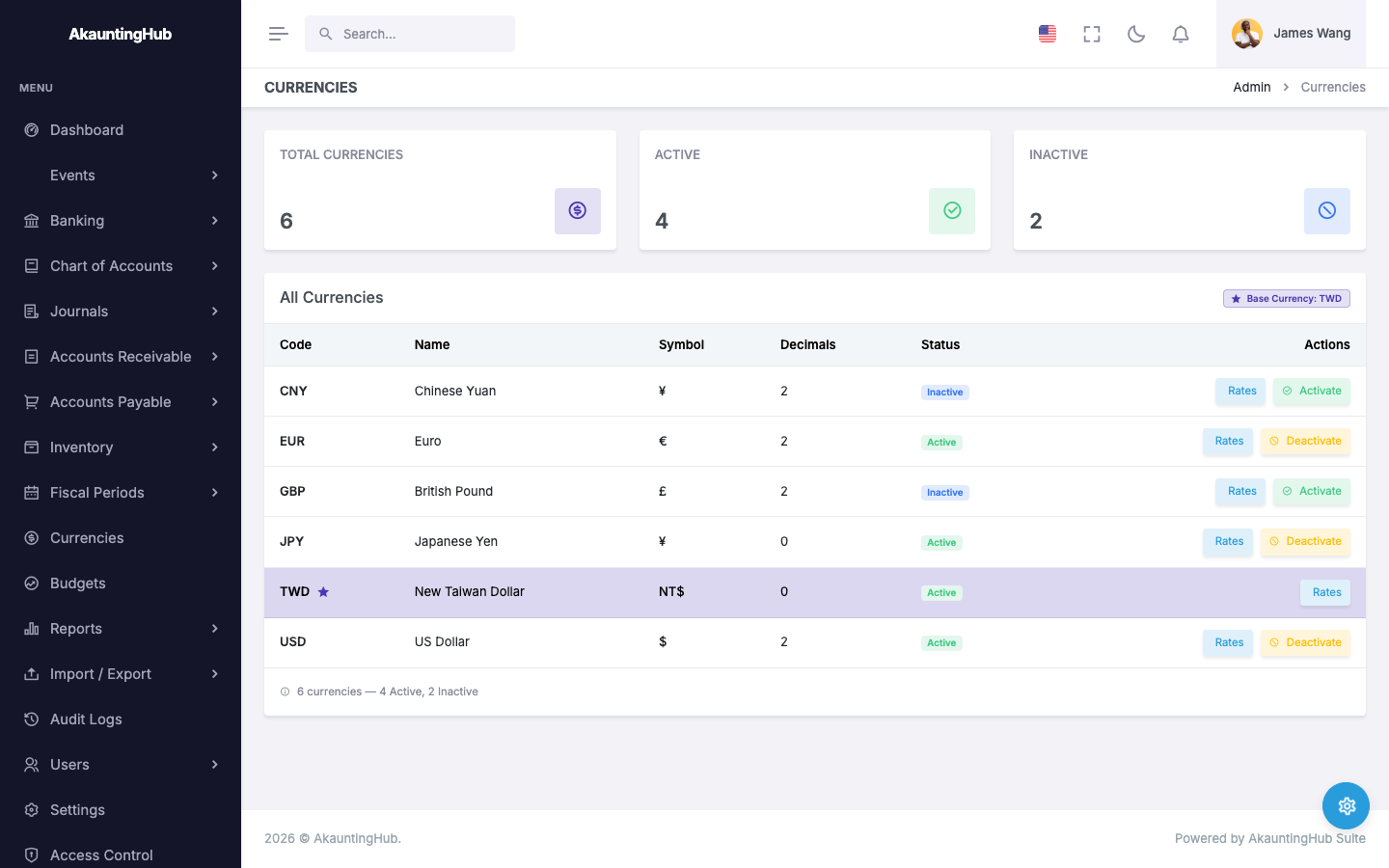
- Multi-Currency Support
Audit trail
JRN-202607-018- Draft created S. Wang · 09:14
- Approved M. Lin · 09:32
- Posted M. Lin · 09:33 · IP logged
Fiscal periods
2026Everything in the box
The full module list — click any capability to see it in the product.
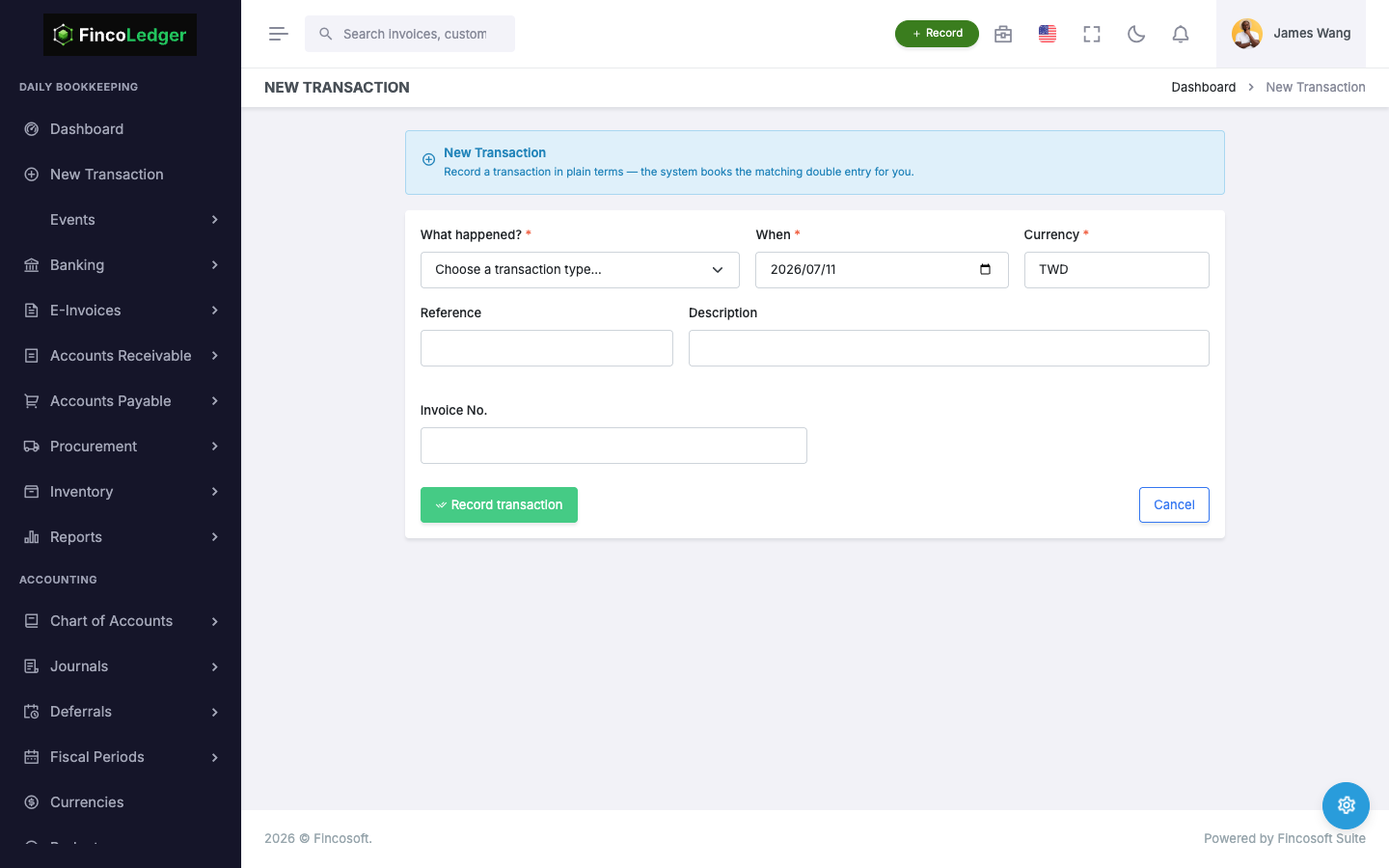
Unified Transaction Entry
Record any bank, receivable, payable, inventory, or business transaction by describing what happened — the engine generates the balanced double-entry journal automatically.
Simple & Professional Modes
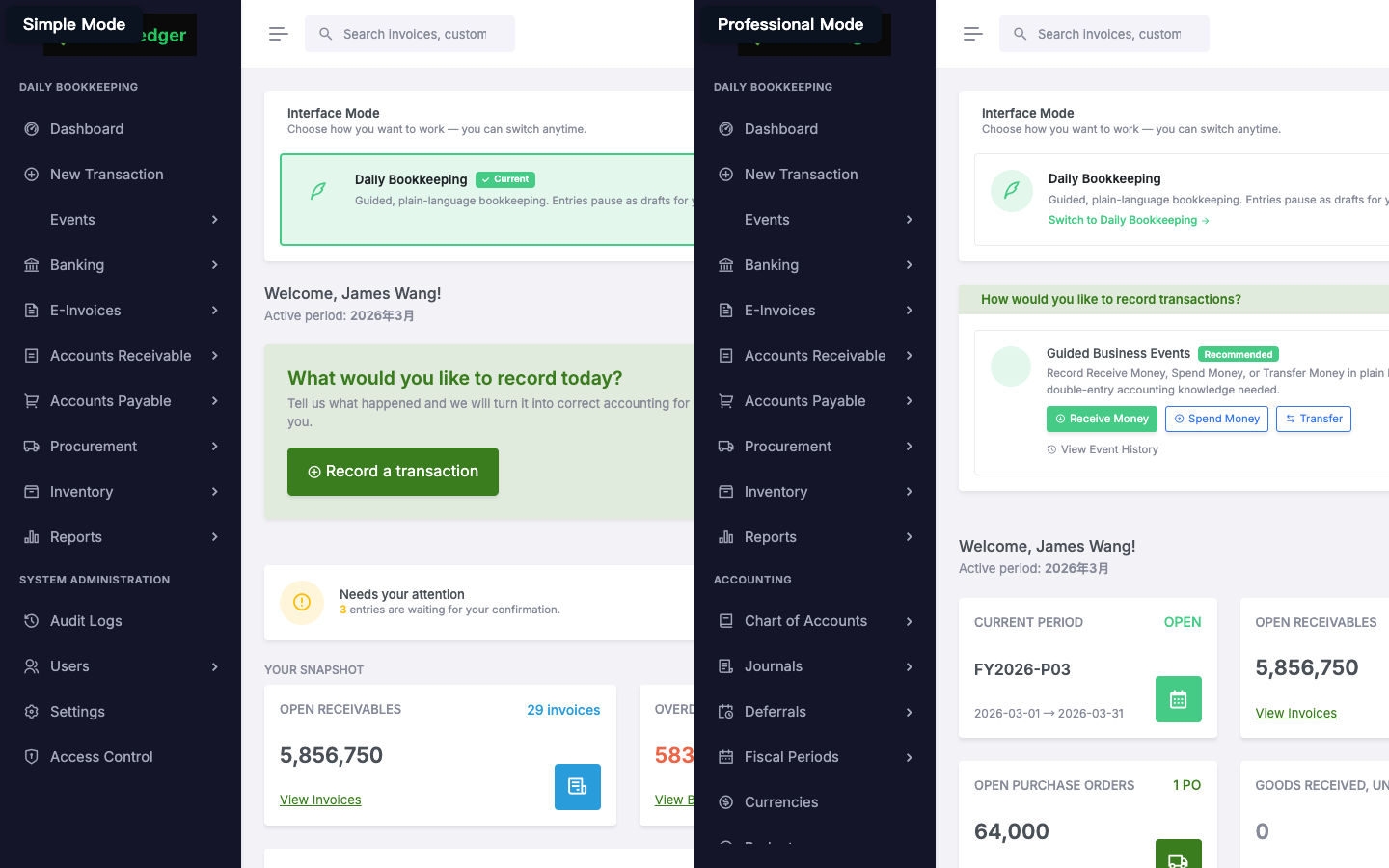
Operators work in guided Simple mode for everyday bookkeeping. Switch to Professional mode to reveal the full accounting workspace — journals, deferrals, fiscal period control — with both modes reading and writing the same ledger.
General Ledger & Journals
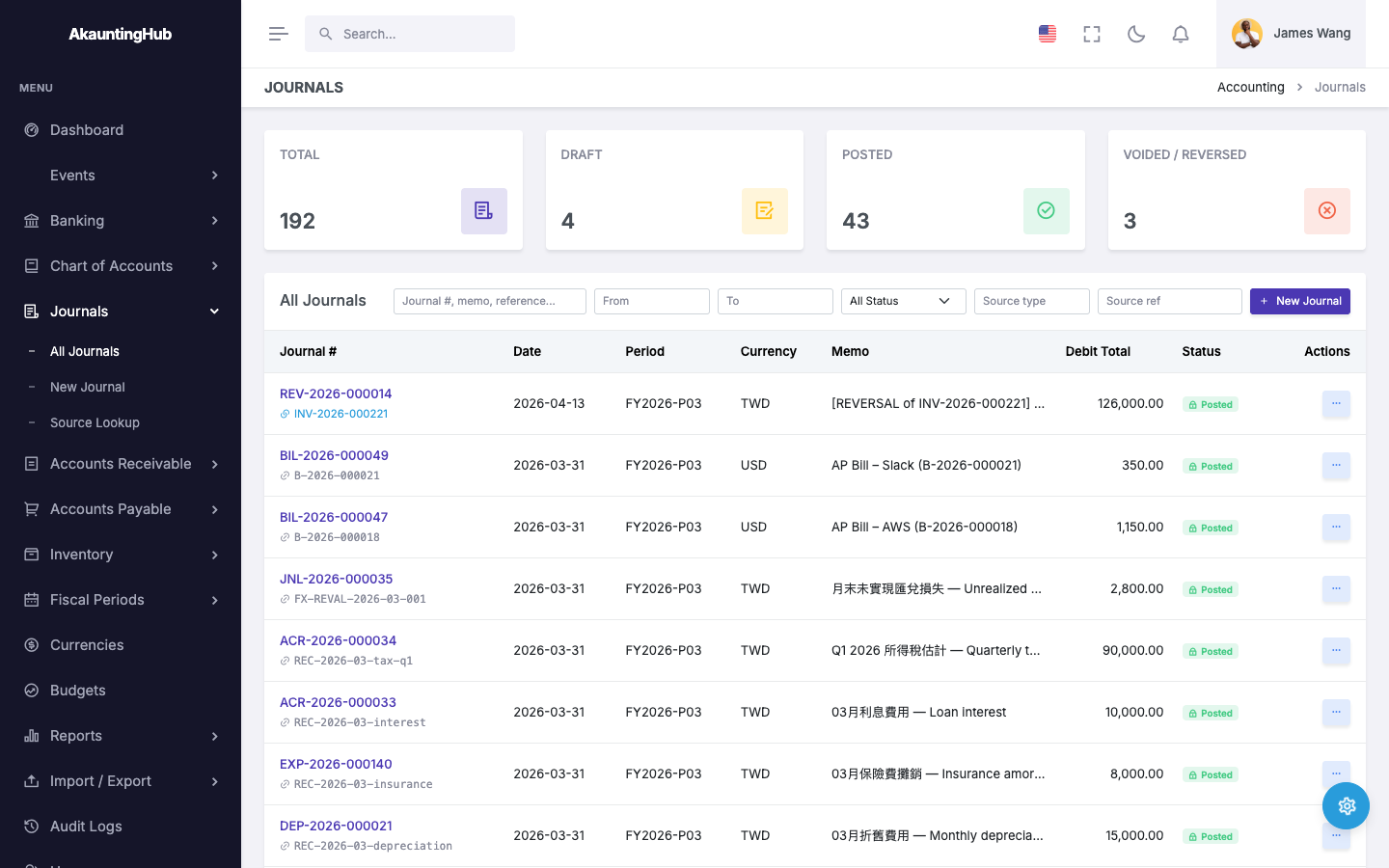
Full double-entry journal engine with draft/approve/post workflow, multi-currency FX, PREFIX-YYYYMM auto-numbered journals, and a control-account guard blocking direct manual posting.
Accounts Receivable
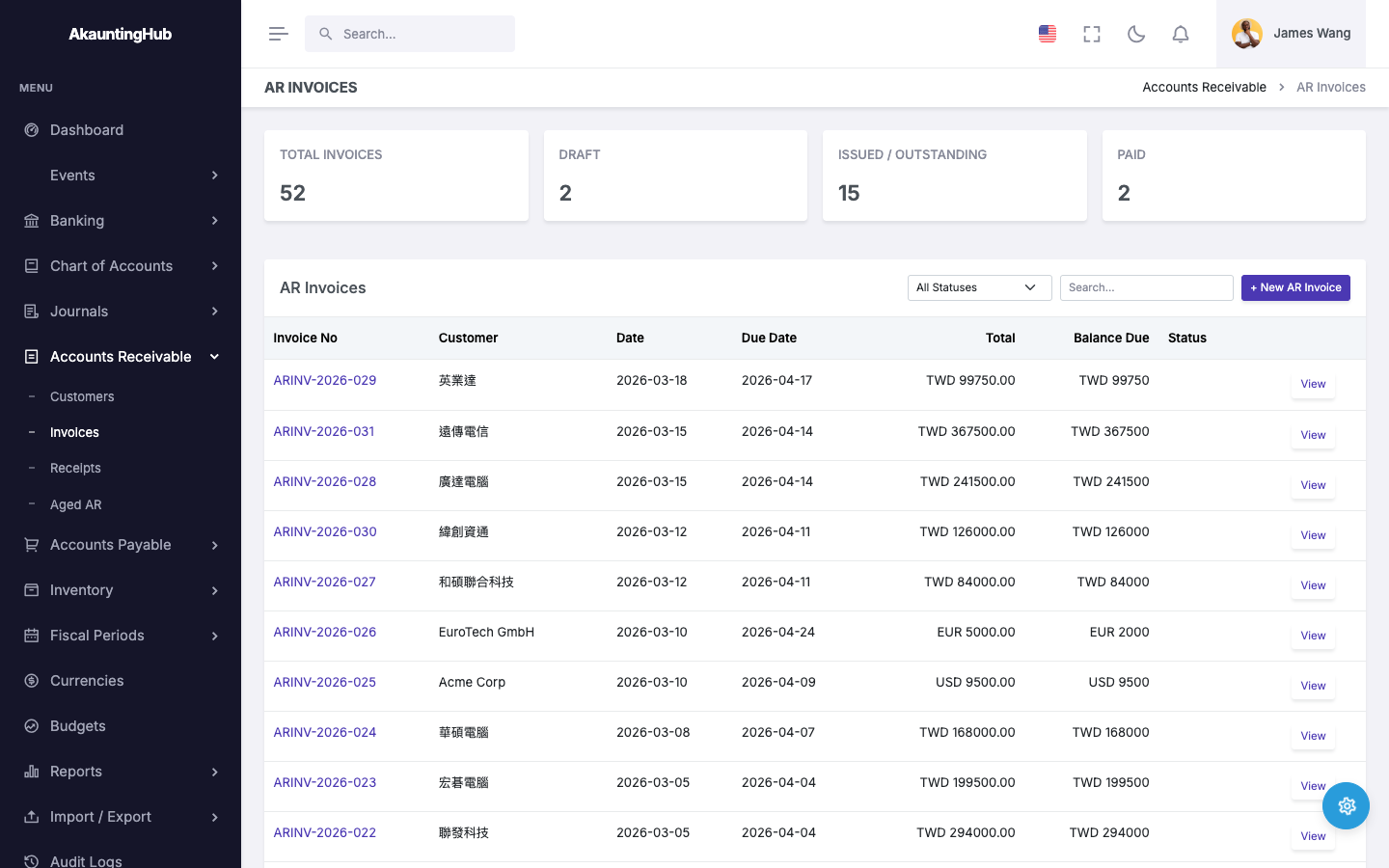
Customer management, sales invoices, receipt allocation, and aging reports. Auto-posts GL entries (DR Receivable / CR Revenue) on invoice posting.
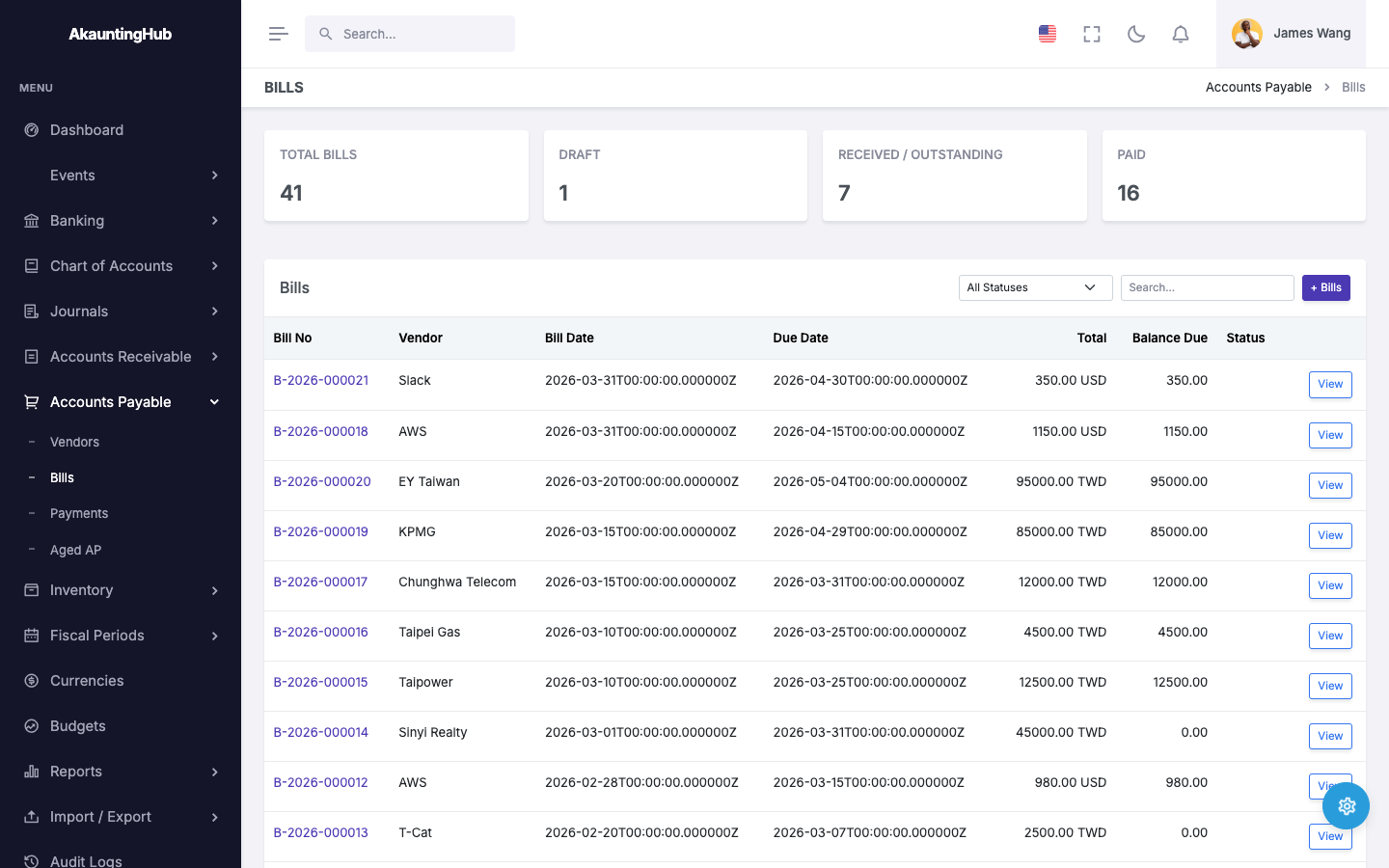
Accounts Payable
Vendor management, purchase bills, payment allocation, and aging reports. Auto-posts GL entries (DR Expense / CR Payable) on bill posting.
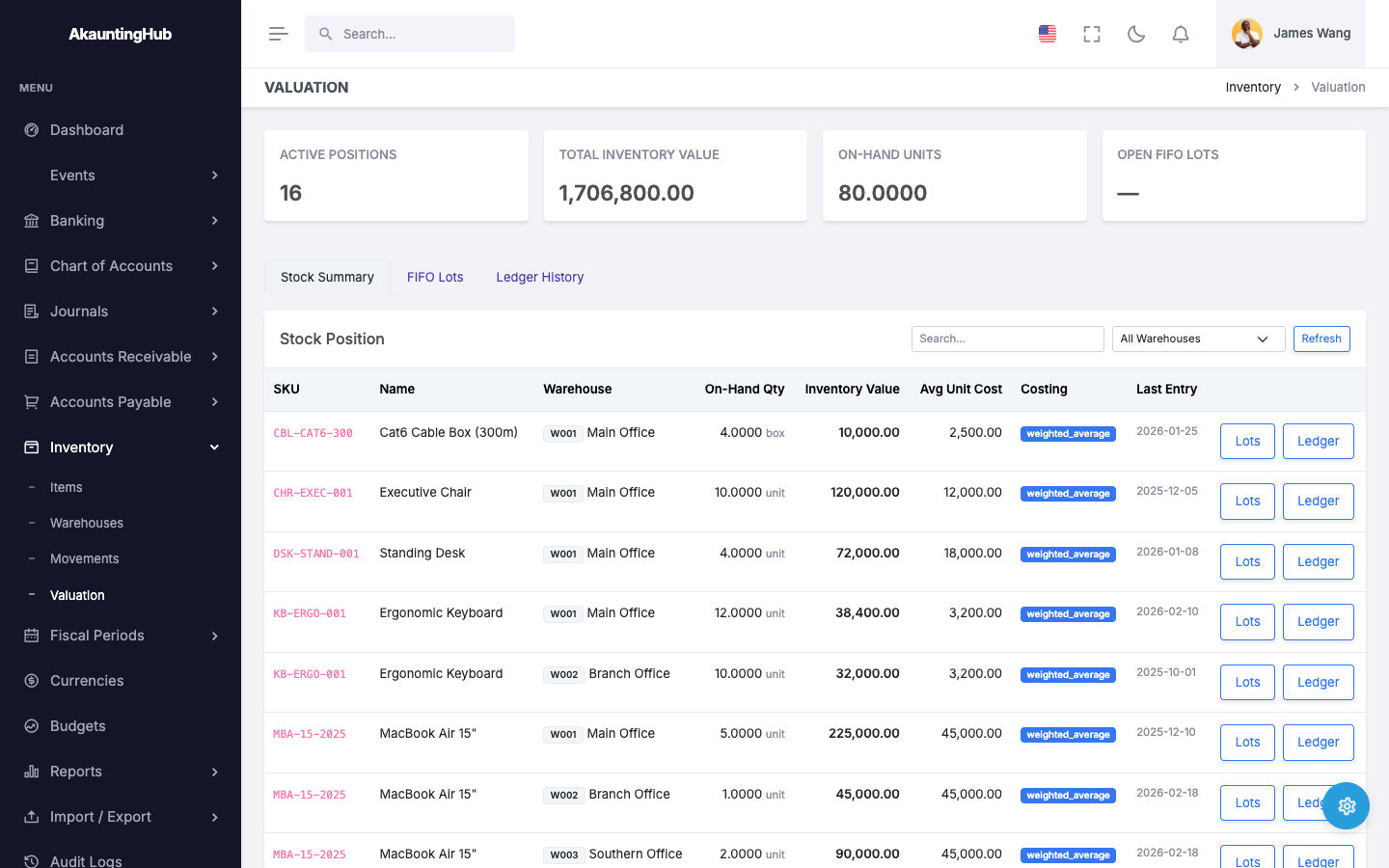
Inventory & Valuation
Multi-warehouse stock tracking with receipt, issue, transfer, and adjustment movements. Weighted-average cost valuation with a perpetual valuation ledger, integrated with the GL in the same transaction.
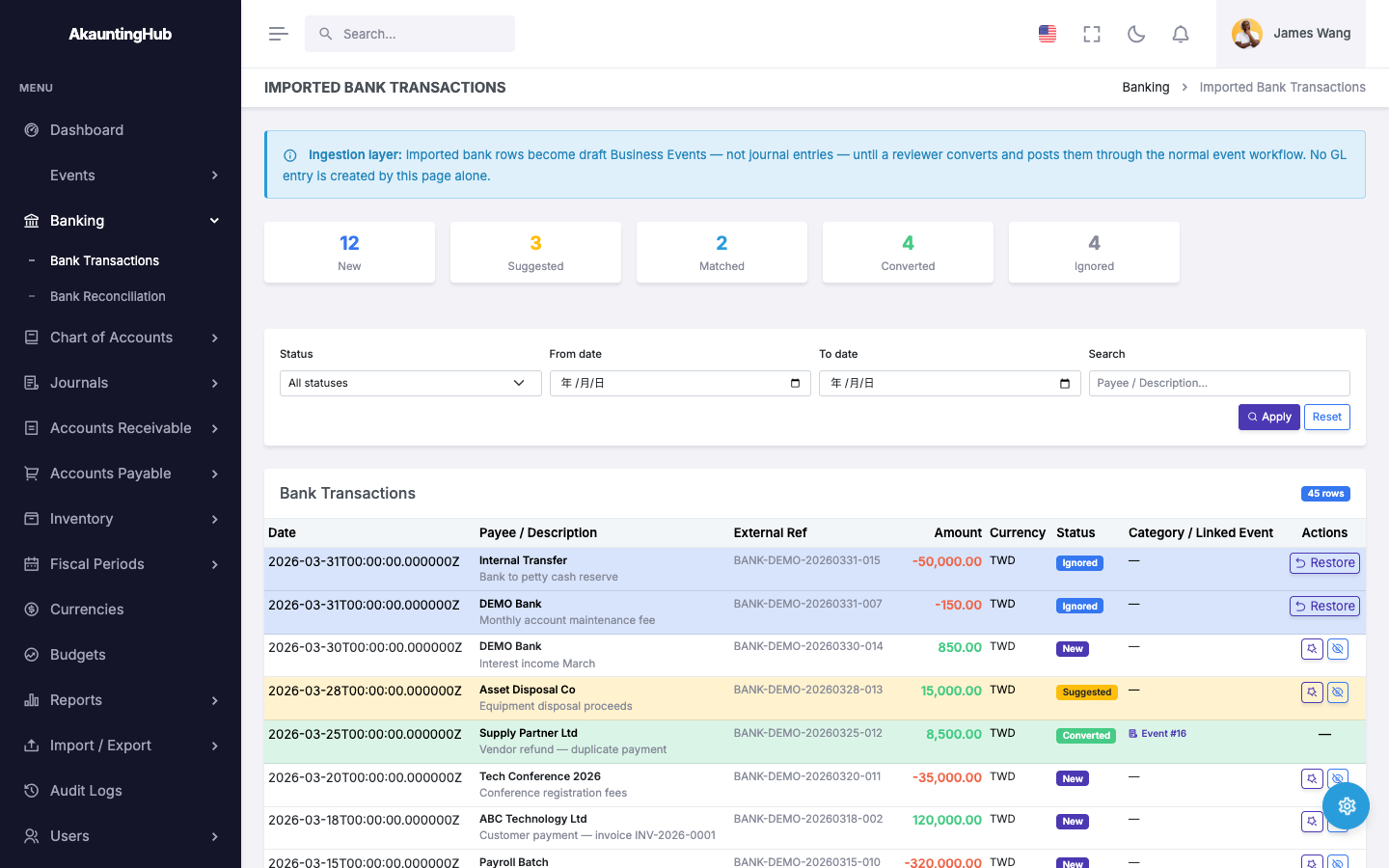
Bank Reconciliation
Import bank transactions, auto-match with posted journals, and complete reconciliation sessions with balance validation.
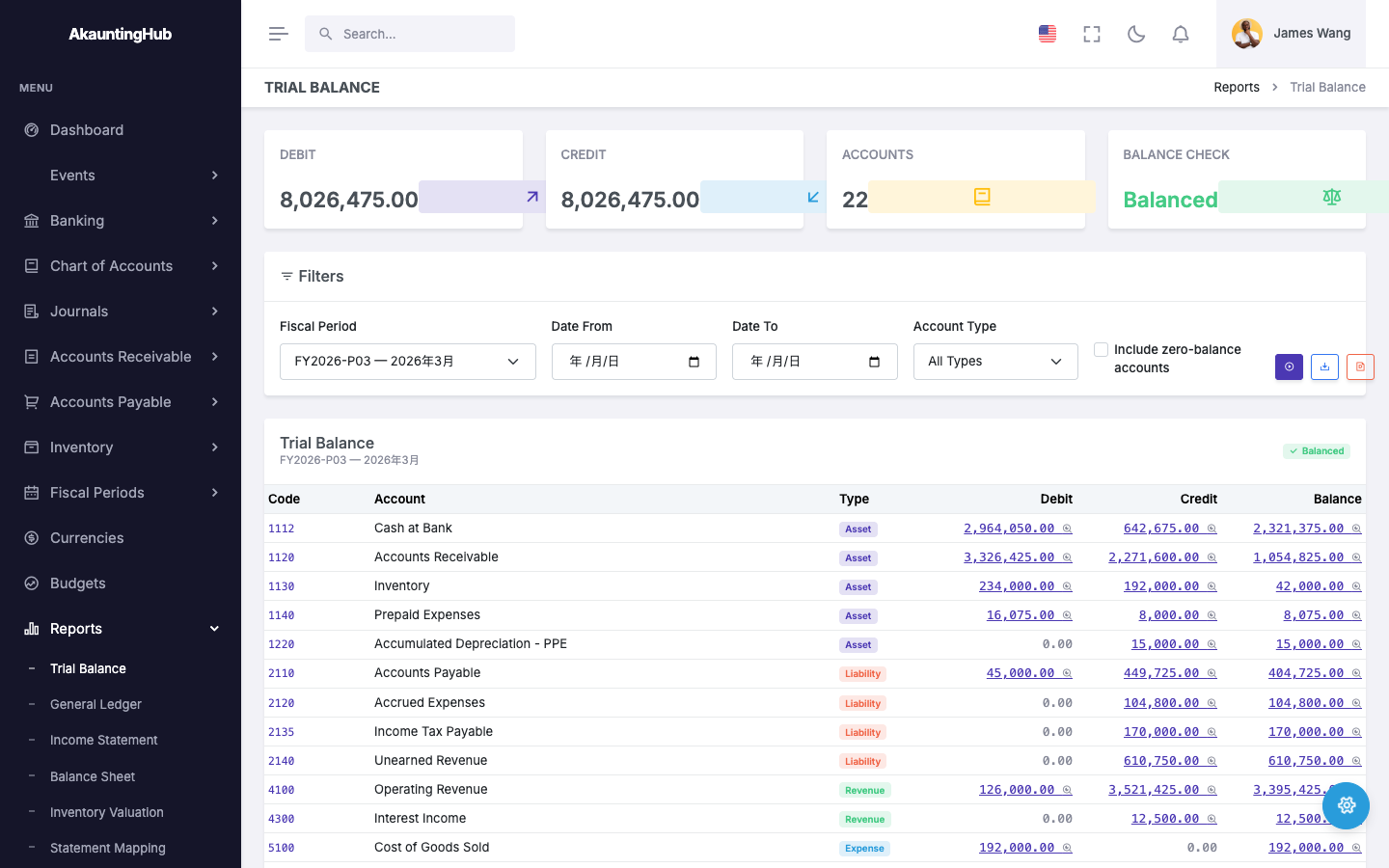
Financial Reports
Trial Balance, Income Statement, Balance Sheet (with a period-movement mode), General Ledger, Aged AR/AP, and Inventory Valuation — CSV/PDF export with CJK-ready fonts, plus automated subledger-to-GL reconciliation.
Budget Management
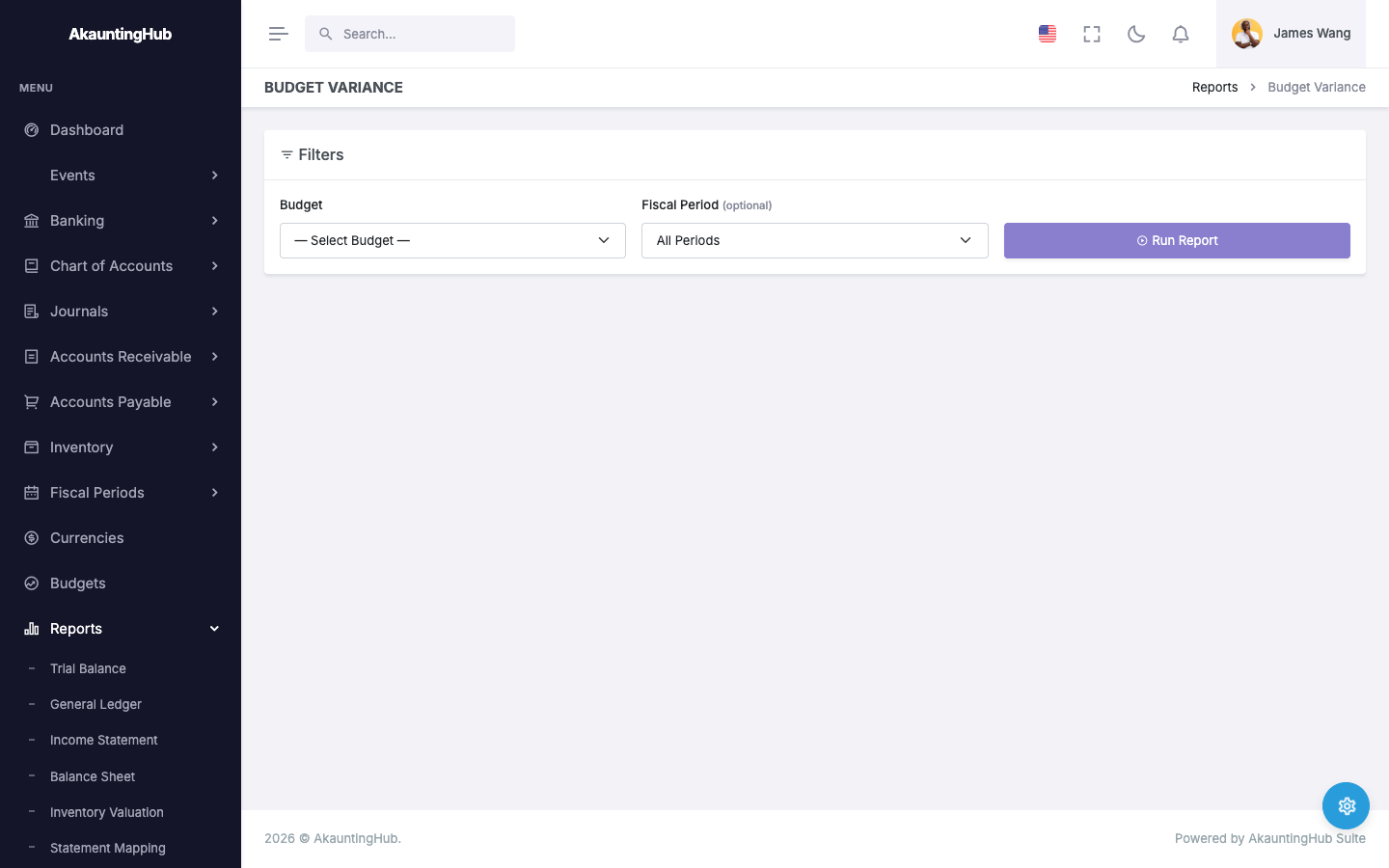
Create per-fiscal-year budgets with account-level line items. Draft, approve, and lock workflows with variance tracking.
Fiscal Periods & Year-End
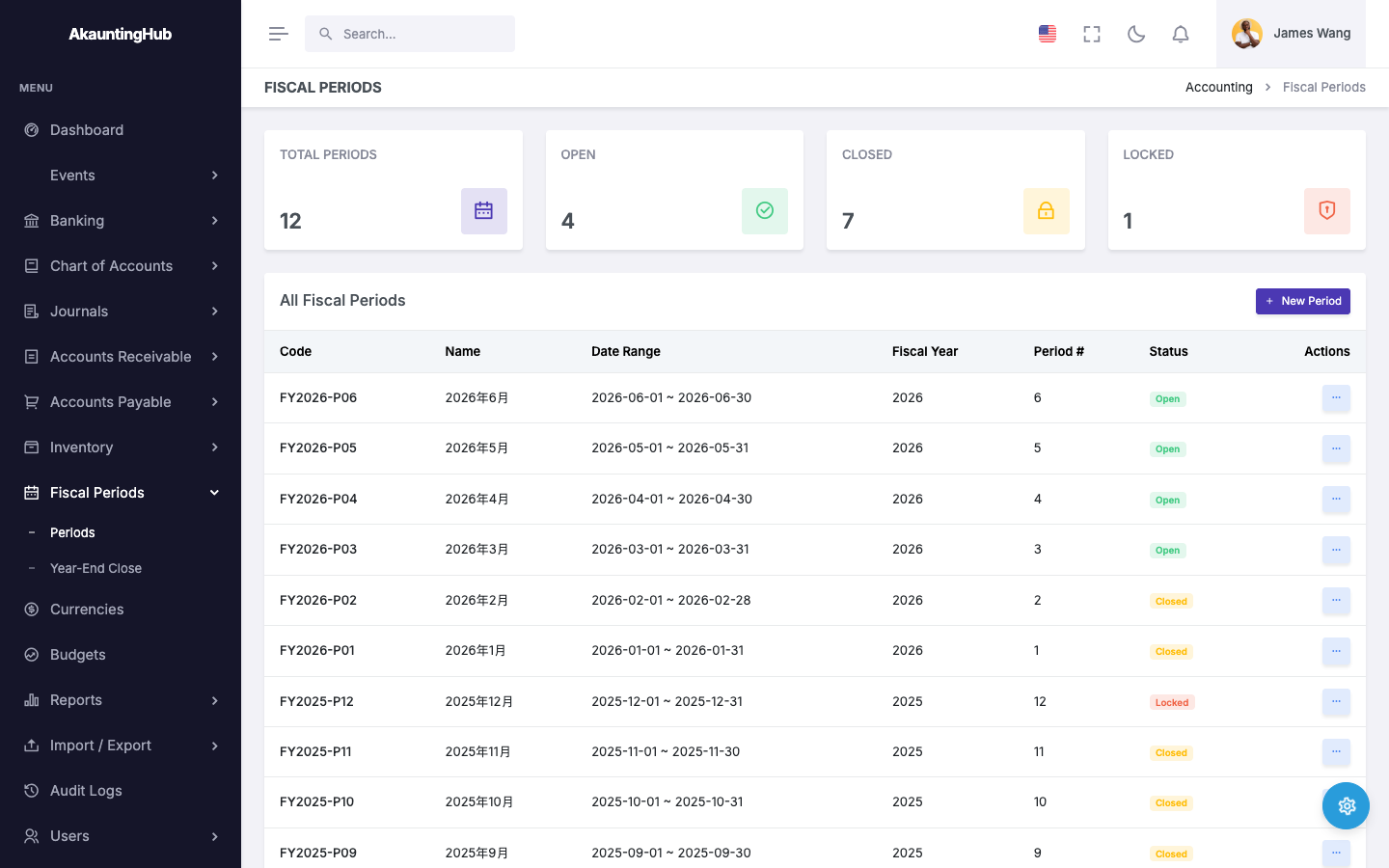
Manage fiscal periods with open/closed/locked states and DB-enforced no-overlap constraints. Deferral schedules auto-post recognition journals period by period, alongside automated year-end closing.
Role-Based Access Control
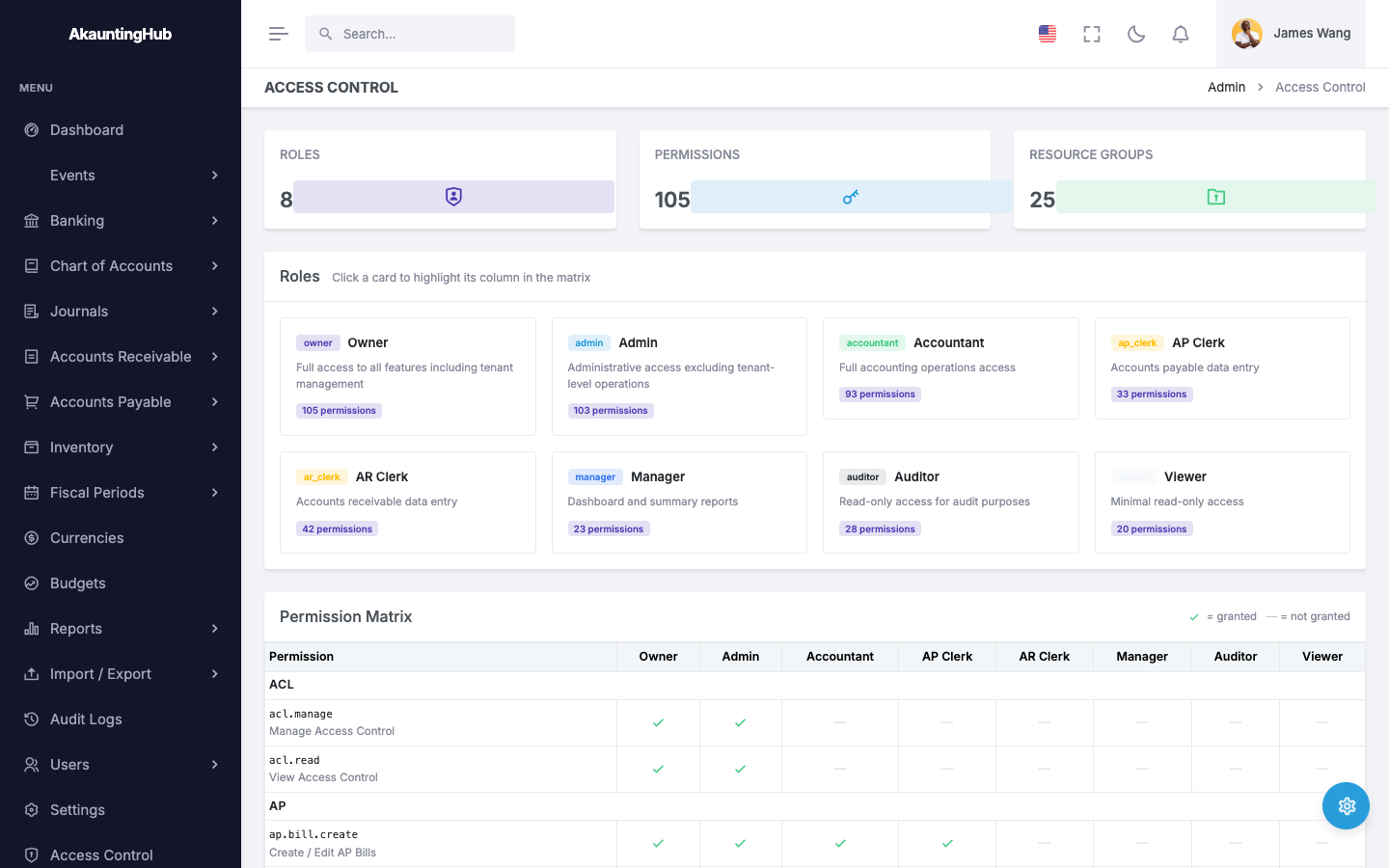
8 built-in roles, 133 granular permissions, and per-user allow/deny overrides, all enforced via middleware — plus email invitations to add teammates.
Full Audit Trail
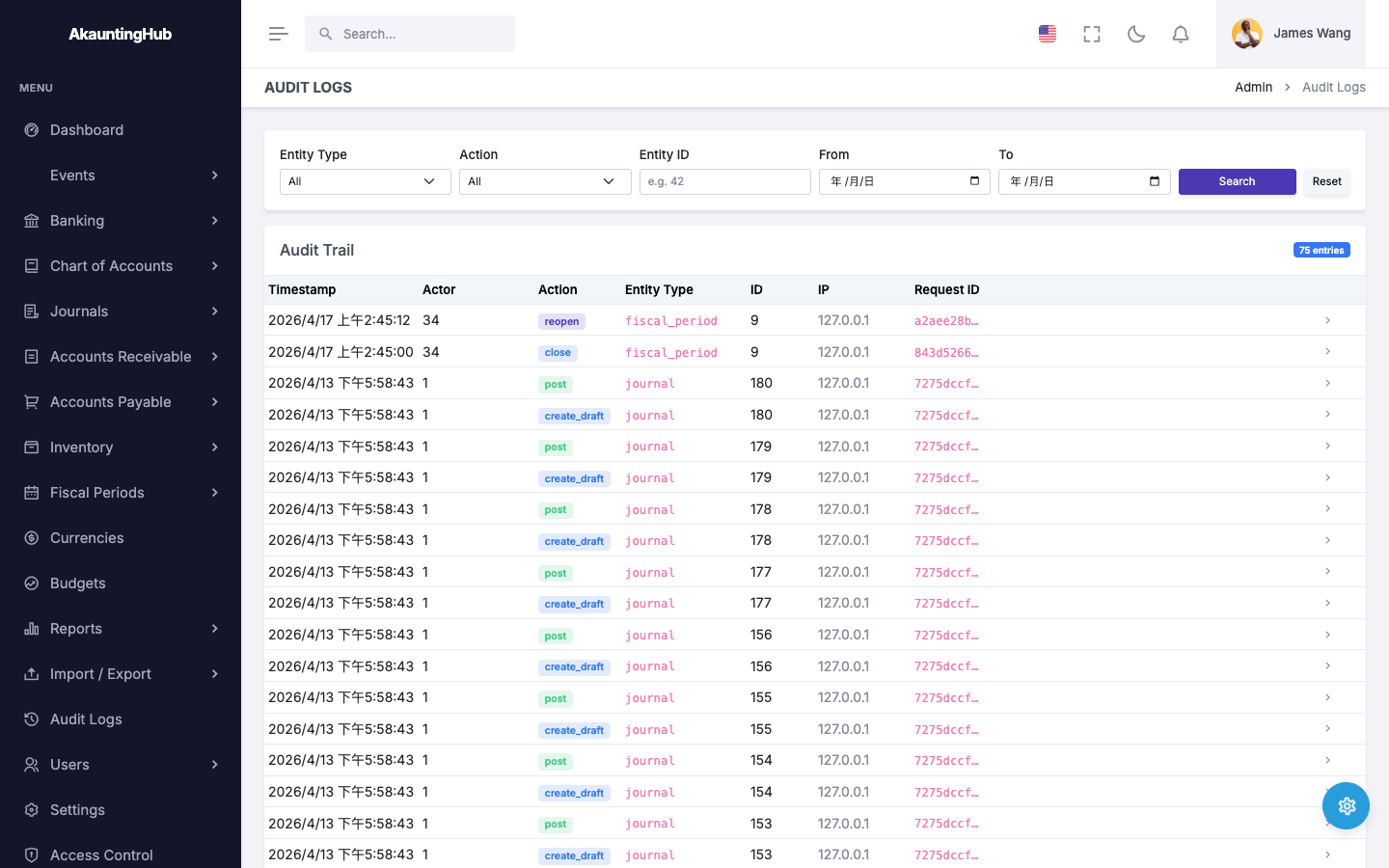
Every transaction, approval, and state change is logged with actor, timestamp, IP address, and before/after snapshots for complete accountability.
Multi-Currency Support
Base currency locking, exchange rate management with inverse-pair fallback, and automatic FX rate population on journal entries.
IFRS Chart of Accounts
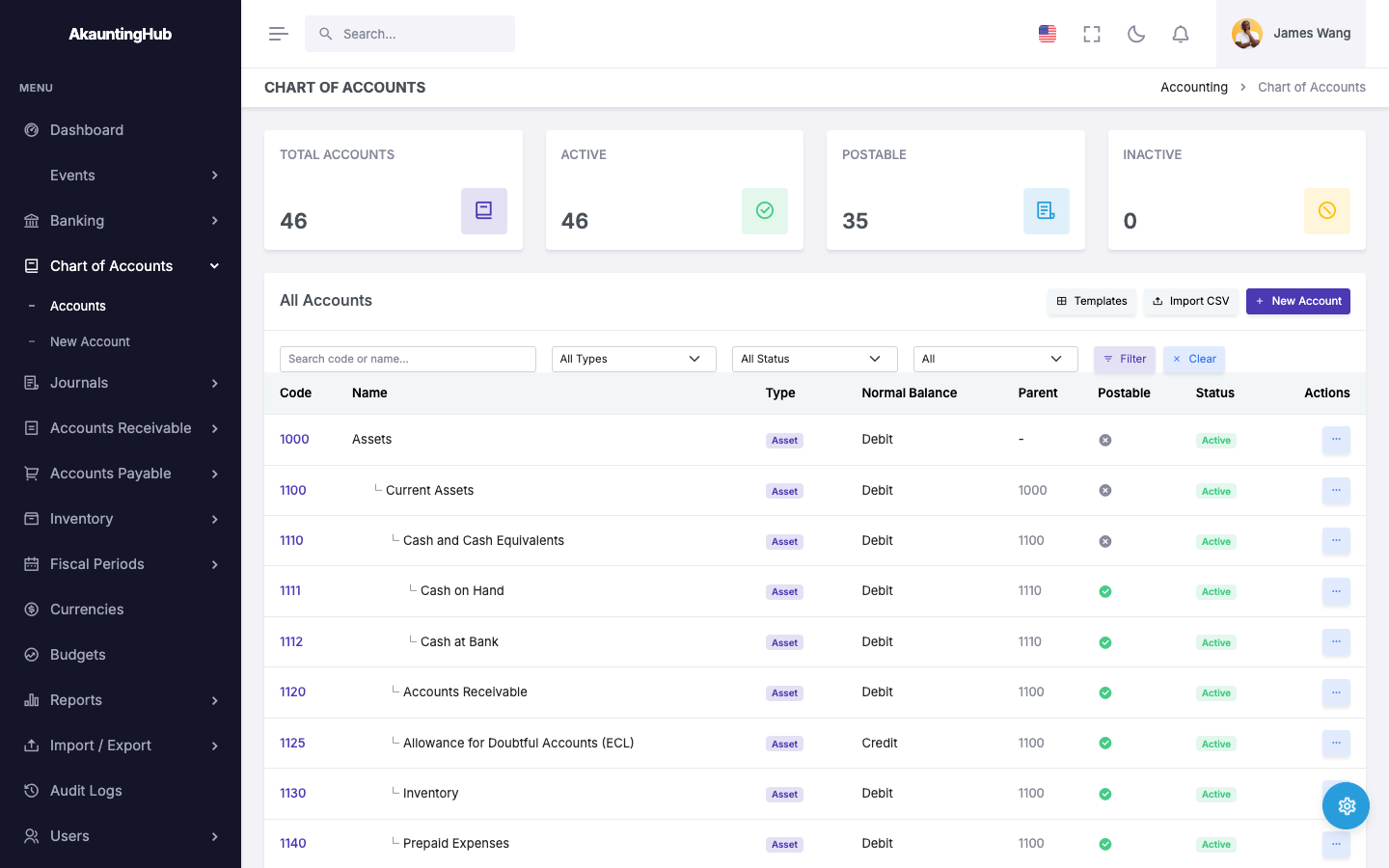
Pre-built IFRS-SMB templates (General, Retail, and Nonprofit — Church/Religious Organization) with topological sorting, contra accounts, and one-click template application.
A Dedicated Pipeline for Taiwan E-Invoices
Inbound e-invoices are staged and classified automatically, but the ledger is never touched without a human. Every document surfaces in a review inbox and becomes a draft bill or invoice only after someone confirms it — the compliance safeguard that keeps the automation trustworthy.
Receive
Files from the Ministry of Finance's platform export and Turnkey MIG 4.0 XML (A0401/A0501/B0401) are ingested automatically and staged for processing.
Auto-Classify
Rules-first classification proposes the GL account, tax code, and input-tax deductibility for each document.
Human Review
Nothing reaches the ledger unreviewed. Once confirmed in the review inbox, a document becomes a draft AP bill or AR invoice — it is never posted automatically.
An Accounting Engine Other Systems Plug Into
Keep your operational software focused on its domain. FincoLedger turns the business events it emits into correct, IFRS-aligned journal entries — so the books stay right without anyone writing manual journals.
Emit an event
Your system reports what happened: a sale, a purchase bill, an end-of-day shift close.
Map to a journal
Configurable posting rules translate each event into the correct double-entry journal.
Post with traceability
The entry posts to the tenant's ledger, linked back to its originating record so every number is auditable to its source.
A POS posts an end-of-day sales summary; an ERP posts purchase and payroll events — each system stays in its own lane while the ledger stays correct.
Built for Integration
A serious core under a simple surface
The parts you don't see every day — accounting standards, architecture, and security — are where FincoLedger is most opinionated.
Built for IFRS from the Ground Up
FincoLedger is not a retrofit — IFRS compliance is embedded in every layer of the system, from the chart of accounts to financial statement generation.
View Full Compliance OverviewBuilt to Grow With You
Two connected apps, each with one job — one keeps your sign-in safe, the other runs your accounting. Keeping them apart protects your data and keeps things fast as your business grows.
See How It's BuiltYour Data, Kept Safe
Every design choice puts your data's safety first — keeping each company's records apart, blocking reused logins, and making sure links can't be hijacked.
How We Keep You SafeTry It Yourself
Explore a fully-seeded demo environment with sample customers, vendors, invoices, bills, inventory, and posted journals. Pick a role and start exploring — no signup required.
8 roles available: Owner, Admin, Accountant, AP Clerk, AR Clerk, Manager, Auditor, Viewer