Using Business Events
Record what happened in plain language — receive money, pay money, or transfer funds — and the engine writes the correct, balanced IFRS journal entry for you.
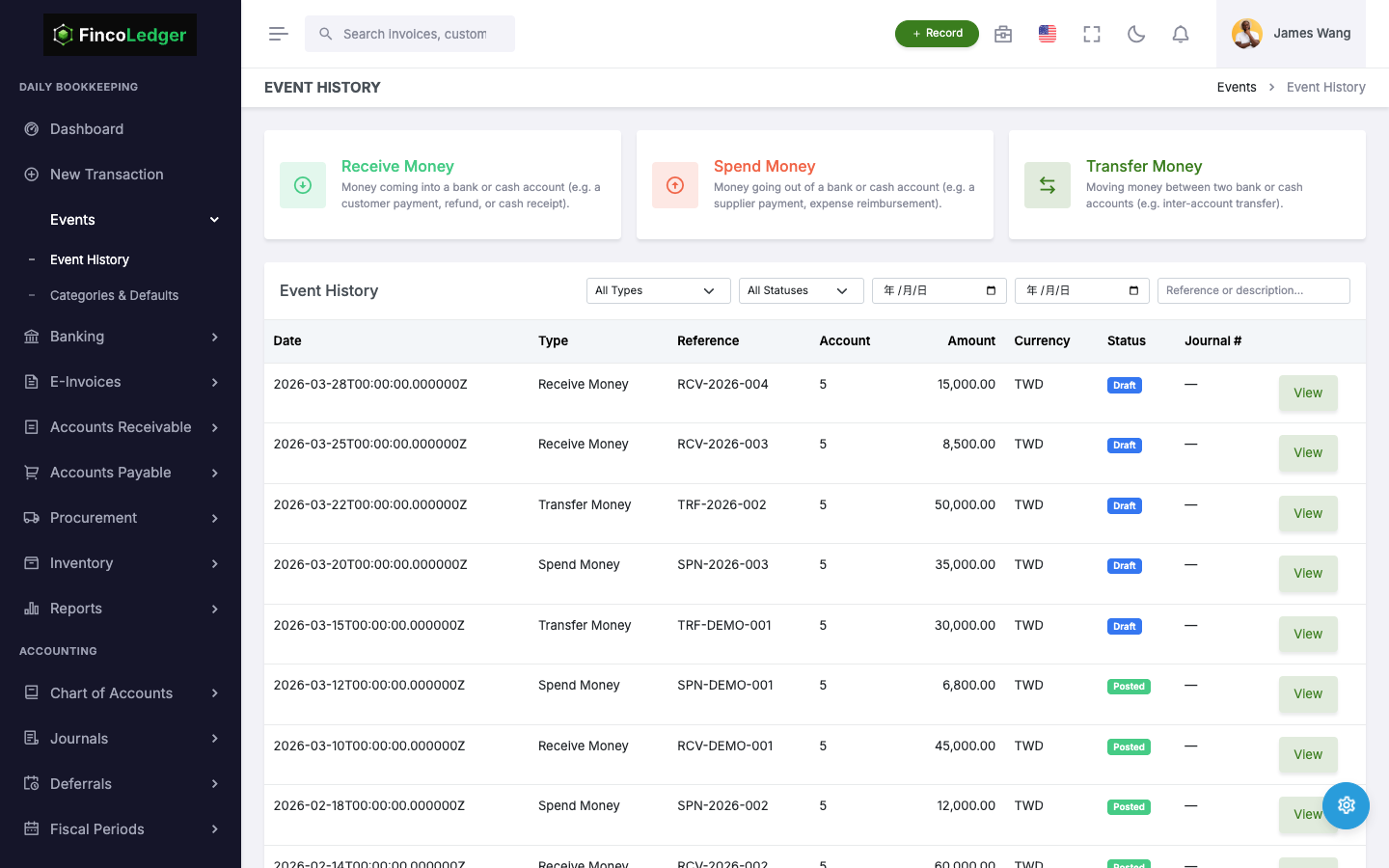
Predefined Events, Correct Entries Every Time
A business event is a plain-language description of something that happened financially — money coming in, money going out, or money moving between your own accounts. Behind the scenes, FincoLedger maps each event type and category to a fixed debit/credit pattern, so recording one never requires knowing which account to debit or credit.
The Three Event Types
Receive Money (收款)
Money comes into a bank or cash account — a customer deposit, interest earned, a refund. You pick the account it landed in and a category (e.g. "Interest Income"); the category determines the other side of the entry.
Spend Money (付款)
Money leaves a bank or cash account for something that isn't a vendor bill — rent, utilities, bank fees. You pick the account it left from and a category (e.g. "Rent Expense"); the category determines the other side of the entry.
Transfer Money (轉帳)
Money moves between two of your own accounts — sweeping cash into savings, funding a petty cash box. You pick a source and a destination account; no category is needed because both sides are already known accounts.
What Gets Posted
Every business event produces exactly one balanced journal entry, using the account you chose and the account the category (or transfer destination) resolves to.
| Event Type | Debit | Credit |
|---|---|---|
| Receive Money | The account you chose (bank/cash) | The account tied to the category (e.g. income) |
| Spend Money | The account tied to the category (e.g. expense) | The account you chose (bank/cash) |
| Transfer Money | The destination account | The source account |
Categories Carry the Accounting
Every category is pre-mapped to a default GL account, so choosing a category is choosing the accounting — without needing to know it.
Business events are organized into categories like "Sales Revenue," "Interest Income," or "Rent Expense." Each active category has a default account already configured — this is what the engine credits (for Receive Money) or debits (for Spend Money) when that category is picked.
An admin can adjust a category's default account under Categories & Defaults (Settings → Event Categories). The change applies only going forward — past events and the journals they already posted are never touched.
Recording an Event
Business events are one of several transaction types available from the New Transaction screen — the same plain-language entry point used for invoices, bills, and inventory moves.
See the New Transaction Screen GuideReviewing What Was Recorded
Every business event appears in Event History (事件紀錄), where you can see its status, its category, and — once posted — the journal entry it produced.
Opening any event shows a "View Journal" link straight to the posted entry in the General Ledger, so you can always trace a number back to the event that created it.
Filter by Shortcut
Every event records which saved shortcut it was entered from, so Event History can be filtered by event type or by shortcut from the same dropdown.
Pick "Office Rent" and you get every rent payment you have ever recorded — a running history of one recurring cost, without building a report.
See How Shortcuts WorkThe Sole External Write Surface
When another system integrates with FincoLedger, business events are the only thing it can write — the same three event types described above, submitted over the API instead of a screen.
Read the API Integration GuideSee It Work End to End
Try recording a business event yourself in the demo environment.